

Coding agents let one developer open several pull requests a day. Each one can touch dozens of files. Reviews fall behind fast, especially when one person reads every line the agent wrote and the release waits on them. That single read also misses plenty of errors hidden under convincing but problematic code.
AI-written code has more defects to begin with. CodeRabbit’s 2025 study covered 470 open-source pull requests on GitHub and found 1.7 times more issues in code co-written by AI. One human pass after the agent leaves too many of them unresolved. Handing routine checks to AI agents helps here. It improves AI-generated code review efficiency, and every stage still gets checked.
This guide shows how to review AI-generated code with AI agents, from the first spec to the pull request. It also covers where people step in to approve specs and make the calls. You’ll learn where AI code commonly fails and how to split the work between AI reviewers and your developers. We’ll also pack our findings into ready-to-use checklists for backend and frontend code.
What is AI-Generated Code Review?
AI-generated code review is how AI-written code gets checked at every stage of development, from the spec to the release. Here, AI agents do most of the checking. People sign off on the spec and make the key decisions.
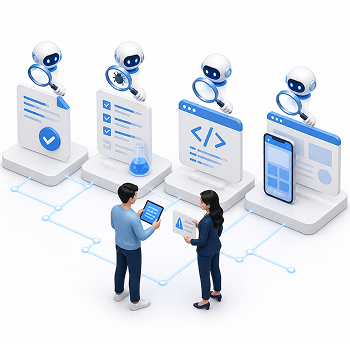
The checks happen more than once. An agent reviews the spec before any code exists. After that, agents go over the tests and the code. The last pass looks at the screens users will see. A bug that slips past one pass gets another chance to show up in the next.
People allocate their attention to the spec and on each finding the AI agent reviewers raise. They read code line by line only where a mistake would hurt most.
Why AI-Generated Code Should Be Reviewed by
AI Agents—And Where Humans Still Matter
AI agents should review AI-generated code because they can keep up with the pace at which coding agents write it. On average, that code also has more issues than code written by people. Early guides addressed why AI-generated code needs human review. Now it helps more to ask where a person still has to step in.
 AI code has more issues than one human pass can catch. Based on CodeRabbit’s 2025 report, AI pull requests (proposed code changes waiting for approval) average 10.83 issues. Human ones average 6.45. Logic and correctness errors show up 75% more often. For some security issues, the gap reaches 2.74 times. A few AI pull requests are packed with problems. Picture one reviewer going through those alone.
- Clean-looking code still fails security checks. Veracode checked code from over 100 AI models for its 2026 report. Nearly all of it compiled. On average, only 56% of it passed the security tests. A review agent with security rules in review.md runs the same checks on every change.
- Business rules have to be on paper before an AI reviewer can check them. Most of that lives in four places. First, a glossary of terms and a product requirements document (PRD). Then come architecture decision records (ADRs) and a map of the codebase. The reviewer reads all of it before it opens a single file of code. Say a counterparty table leaves out a Company ID column on purpose. An ADR explains why, so the review agent leaves it alone. Writing these rules down is a human job.
- Separate agents catch what the author agent misses. AI models sometimes weaken failing tests or write tests that pass by design. The fix is to give test writing to a different agent. The one building the feature gets read-only access. The reviewer also starts with a blank slate, so whatever came up in the author’s chat never reaches it.
- Decisions still belong to people. If a release breaks payments or leaks data, a person answers for it. During the requirements interview, the agents ask, and people answer. Then people read the resulting documents. They sign off on the spec. For every finding, they say yes or no and write the reason in the tracker. The pull request and the merge are theirs too.
At DevCom, every change goes to an AI reviewer first. Our engineers save their line-by-line reading for code where a bug would hurt, like payments or shared data.
AI code also fails in different places than human code. The table below shows where these are.
AI-Generated Code Review vs. Traditional Code Review
What changes the most is where responsibility for checking the code is placed. With human code, a teammate usually reads the diff, the list of lines that changed. AI code goes to independent agents that compare it with the spec. The changes are also much bigger, and agents slip up in places a human author rarely would.
| Review aspect | Reviewing human-written code | Reviewing AI-generated code |
|---|---|---|
| Who checks | A teammate reads the diff, often line by line. | Independent AI sub-agents with a clean context compare the work with the spec. People decide what to do with their findings. |
| Typical mistakes | Humans make typos, forget about edge cases, or take shortcuts that later turn into technical debt. | AI can write logic that covers only the most obvious case—in a demo or in production— references made-up libraries, and uses insecure defaults. |
| Size of each change | A developer submits a few focused changes a day, often a few dozen lines each. | One developer with several agents can push hundreds of changed lines across many files, several times a day. |
| Staying within scope | Developers and QA testers know the business rules and context. | Agents follow the instructions word for word. They can miss unwritten rules or go beyond the task. |
| Trust in the author | Trust builds over time, and reviewers go easier on senior developers. | The same model can do great work on one task and fail on the next. A “lessons learned” file in the agent’s harness (the tooling around the model) helps. Each mistake gets written down, and the agent reads the file before every new task. |
| Reasoning | The author explains decisions from memory, and the discussion spreads knowledge across the team. | Chat context gets lost between sessions and when the chat is compressed. The PRD, ADRs, and task tracker keep the reasoning instead. |
| What tests prove | Tests reflect how the author understood the feature. | A separate agent writes the tests first, based on acceptance criteria in the Given/When/Then format. The coding agent works until they pass. |
Closing these gaps takes a repeatable process. AI reviewers and automated checks do the work, and people make the decisions.
AI-Generated Code Review: Best Practices and Process
Below are six AI-generated code review best practices. Each one adds a review step somewhere between planning and release. Agents take on the routine checks, and people keep the final say.
1. Verify every task automatically against the spec
Let a review agent check every closed task against the spec. Coding agents sometimes change the plan or skip a step, and the summary often stays silent about it.
Keep a task tracker and give each task a definition of done. When a task closes, the review agent compares it with the spec and runs the tests. That replaces matching the summary to the diff line by line. The agent gets things wrong sometimes too. It can miss a bug or flag one that turns out to be fine, so a person decides what to fix. A missed bug still has to get past the next review round and the staged release. If one reaches production anyway, the team adds a rule to review.md so the agent catches it next time.
2. Put gates in place beforehand
Plan your gates before anyone writes code. There are two kinds. Process gates keep each stage on hold until the previous one has produced its documents. Coding starts once the task list is approved. The task list itself waits for the spec.
Feature gates protect users. A feature flag works like a light switch for one feature. You can hide it from most users until it’s ready, and if something breaks, only a small group runs into it. Add these gates at the start. They take minutes to check and roll back. Gates added at the end often miss code that has already spread into other parts of the app.
3. Automate with deterministic hooks
Hooks run checks on their own every time the agent changes something. Each hook is a short script. Claude Code, for instance, lets you attach a type check or a security scan to every edit.
Hooks pair well with test-driven development. Say a test fails. The agent sees the result right away and fixes the code. Once the test passes, a third agent tidies the code and reviews it, and only after that does the task close.
4. Use adversarial AI reviewers at every stage
Every stage gets its own AI reviewer, and the first one looks at the spec. It checks the brief and the PRD, then the architecture and API contracts. Fixing a mistake there costs far less than fixing it in code.
Code gets a fresh sub-agent with a clean context. An agent that saw the original chat picks up the author’s assumptions. The fresh reviewer reads the PRD, ADRs, and contract first. The code comes after that.
5. Demand proof for findings
Every claim in a pull request needs proof. That means passing tests, recordings, and screenshots checked against the Figma designs, plus an updated task tracker. People look at this proof instead of the code itself.
Some changes still get a line-by-line read from an engineer. These are the riskiest ones, and the read happens after the AI review, for example, a change to the core image-rendering system. Leaf code with enough proof just gets a quick look.
6. Launch to a slice of users
Once the review is done, release the feature through its gate to a small share of traffic. If something crashes or an alert fires, only a fraction of your users see it.
AI-Generated Code Review Checklist
This AI-generated code review checklist groups best practices in a way that can help you assess the code piece by piece.
Team setup
- Configure a hook that runs after every change.
- Make the hook run the checkers for your programming language.
- Confirm the hook feeds its output back to the agent.
- Turn on automatic AI review for every pull request in each active repository.
- Add a CODEOWNERS file that routes critical changes (like verification and payment) in trunk folders to named owners.
- Establish rules that block merging until the hook checks and the CI reviewer pass.
- Set monthly spending caps for paid AI review tools (per team or per repository).
Rules and templates
- Create a review.md file in each repository.
- List the project’s fragile areas (such as untested legacy modules) in review.md.
- Set up a shared review command that launches a fresh AI reviewer with a clean context.
- Publish a pull request template with required sections (summary, test plan, proof, feature gate, etc.).
- Keep each pull request description shorter than its code change.
- Assign test writing to a separate agent and give the implementing agent read-only access to the tests.
Planning
- Write a PRD with acceptance criteria for expected and edge cases. Use the Given/When/Then format: given a situation, when something happens, then a specific result follows.
- Run a separate clarification pass on the PRD to find ambiguities and contradictions.
- Keep a glossary of business terms that agents read before each task.
- Record non-obvious design choices in ADRs.
- Define contracts before coding: OpenAPI specs that describe the API, plus database migrations with scripts to apply and roll back each change, checked automatically.
- Run a critic agent after each planning stage to compare the new artifact with the earlier ones.
- Plan a feature gate for each new feature.
- Confirm the plan lists validation criteria.
Task breakdown
- Break the feature into tasks of up to one person-day each.
- Give every task a definition of done.
- List each task’s dependencies and the files it touches, grouped by layer.
- Have the agent propose tests for each task, and approve them before implementation starts.
- Split the work into small pull requests with one task each.
Local review before push
- Compare the list of changed files to the task.
- Confirm the hooks and unit tests pass locally.
- Run the review agent against the spec and resolve its findings.
- Record a reason in the tracker for every finding you reject.
Security
- Add security rules to review.md for the review agent to check on every change.
- Include server-side validation of all user input in those rules.
- Have the agent search the diff and frontend code for passwords, API keys, and access tokens.
- Have the agent confirm that every new endpoint checks the user’s access rights.
- Have the agent confirm that logs exclude passwords, card numbers, and personal data.
- Review the security section of the agent’s report and decide on each finding.
Before launch
- Run several AI agents to audit the whole feature’s code for performance problems.
- Audit the finished feature against the spec.
- Remove leftover debugging code, unused functions, and duplicated logic.
- Release the feature iteratively for different user groups.
Frontend errors surface in front of customers, so the interface code deserves its own list.
Reviewing AI-Generated Frontend Code: What To Check
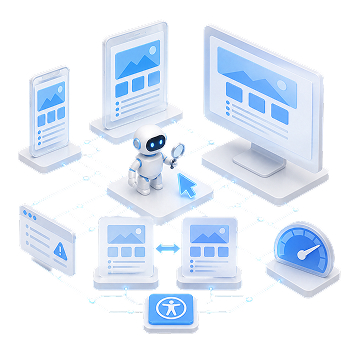
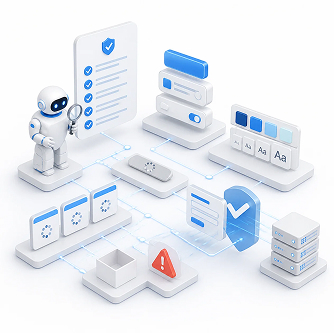
Frontend checks cover what users see and click, and most of them can go to a UI verification agent. Interface code is where agent output looks best in a demo and breaks most visibly in production. At DevCom, this agent runs Playwright scenarios. It clicks through the app, takes screenshots, compares them with the Figma designs, and checks accessibility.
The UI agent should:
- Click through every screen and interaction the change touches.
- Flag new errors or warnings in the browser console.
- Run the scenarios in several browsers and on phone, tablet, and desktop screen sizes.
- Measure page load and interaction speed.
Add these rules to review.md so the review agent checks
them on every change:
- Reuse existing design system components instead of building new copies.
- Take colors, font sizes, and spacing from the shared style settings.
- Watch for race conditions when several requests update the same part of a screen.
- Disable submit buttons while a request is in progress.
- Give every screen that loads data a loading, empty, and error state.
- Validate form input before it reaches the backend.
People still confirm that the new interface sits behind a feature gate. Small one-off components with tests or recordings attached only need a quick look.
How Do Teams Review AI-Generated Frontend Code at Scale?
The answer is an automated pipeline, since agents write more interface code than anyone can read line by line.
Each pull request gets its own preview, a temporary copy of the app. Vercel and Netlify set this up automatically and drop the link into the pull request. The UI agent runs its scenarios on that copy. Reviewers open the same link to look at the agent’s screenshots.
If reviewers write “use the theme color” on every other pull request, that comment should become a lint rule.
Ask agents to build the UI as small components and show each one in all its states. Those examples double as proof, so a reviewer can just skim the component.
At DevCom, the slow end-to-end tests run on a developer’s machine, and only where they’re needed. Unit and integration tests run in CI on every change.
Large companies also release in stages, often called rings. Staff see the feature first, then selected testers, and then a growing share of users. Each ring sits behind its own gate.
How To Establish AI-Generated Code Review Standards for Your Team
Good AI-generated code review standards are rules a developer or an agent can check in a minute. Add them gradually so people have time to get used to each one.
 Roll out in order of impact. Start with an AI reviewer that has a clean context and runs before every push. Add the test-driven cycle next, with a separate agent writing the tests. Critic agents for the spec stage come after that.
- Keep review.md specific. Each rule should be easy to check, like “All money amounts are stored as whole cents.”
- Grow review.md after every escaped bug. When a bug reaches production, ask which rule would have caught it and add that rule.
- Use a PR template. Required fields cover what changed and why, how it was tested, the proof, the feature gate, and the risk level.
- Show agents bad examples. Give the test-writing agent a few meaningless tests to avoid. It saves time and tokens.
- Give each pull request an owner. The developer who launched the agent opens the pull request and does the merge.
- Set a budget. Cheaper models can handle low-risk work like copy edits. Save the strongest ones for payments and other critical code. The full spec-to-PR process eats tokens and hours of documentation, so keep it for large features. Small fixes and hotfixes take a shorter path.
Even with clear standards, some mistakes may still get through, so we’ve collected the most common ones below.
Common Mistakes When Reviewing AI-Generated Code
Most mistakes start with trusting an agent’s output without proof, or with checking the code and skipping the spec.
| Problem | Solutions |
|---|---|
| AI code gets released after a quick review because it runs and looks finished. | Turn on branch protection so only code that passes checks reaches the main branch. Start with an independent AI reviewer before every push. |
| Reviews cover the code and skip the spec it came from. | Run a critic agent after the PRD and architecture stages. It finds contradictions before anyone writes code. |
| The agent's summary is taken at face value. | Have a review agent check each closed task against its definition of done and the spec. Treat any claim without proof as false. |
| Tests pass, but the frontend is broken. | Add a UI verification agent that clicks through the changes and attaches screenshots next to the Figma designs. |
| The agent that wrote the code also reviews it. | Start a new sub-agent with a clean context, or use a different tool. |
| The AI reviewer returns dozens of findings in one long list. | Have the review prompt sort them into “must fix,” which blocks the merge, and “minor.” |
| Agents write tests that always pass. | Let a separate agent write the tests before the code. The coding agent can only read them. |
| An agent keeps looping on a failing task. | Allow three or four attempts. Then switch to a stronger model or a higher reasoning effort. If that fails too, stop, write down why, and go back to the spec. |
| The same bugs keep coming back after fixes. | Update review.md or AGENTS.md after every production incident. Review both files once a quarter. |
Final Thoughts
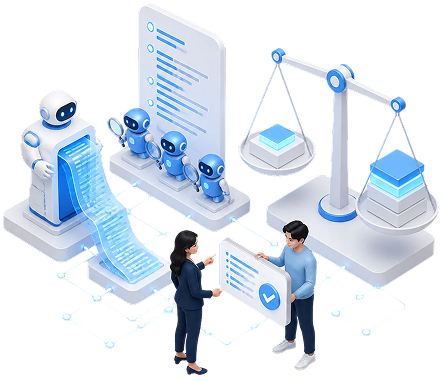
Coding agents can produce more code in a day than one reviewer can read, and on average that code has more defects than code written by people. A second set of AI agents can keep up. They check the work against a written spec at every stage, from the PRD to the screens users see.
People still own the spec and decide what to do with each finding. The full process costs time and tokens, so match its depth to the size and risk of each change. A hotfix needs far less review than a new payment flow.
DevCom has hands-on experience building software with AI agents and designing review processes around them. Through our source code audit services, we can look at your current workflow and set up the review rules described in this guide. We also help developers bring in AI agents that write and review code safely.
FAQs
Mostly in volume and in the kind of mistakes. AI code often looks clean but breaks business rules or calls libraries that are made up. So you hand the checking to AI agents working from the spec, and your engineers spend their time on the risky parts.
Start with the spec and the task the change was supposed to solve. Give both to a fresh review agent. It goes through the changed files, runs the tests, and lists what it found. You then look at that list and the proof behind it.
Watch for unsafe input handling, leaked secrets, missing access checks, and libraries from unknown publishers. Put checks for each one in review.md so the review agent runs them on every change. Your security lead can then go over what the agent flagged.
Put them in writing, in a review.md or AGENTS.md file the agents read before every task. Style rules work best as linter settings. Business terms go in a glossary. Merge rules then hold code back from the main branch until it passes every check.
Use spec-driven development. Effective AI-generated code review practices push routine work onto agents and keep people on the decisions. A critic agent checks the PRD before coding starts. After that, fresh reviewers go over each feature in rounds until it passes. Your engineers read code line by line only where it matters most, like payments.